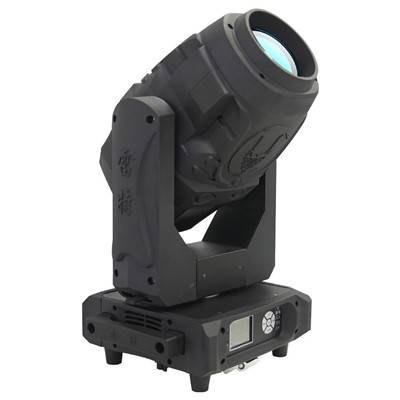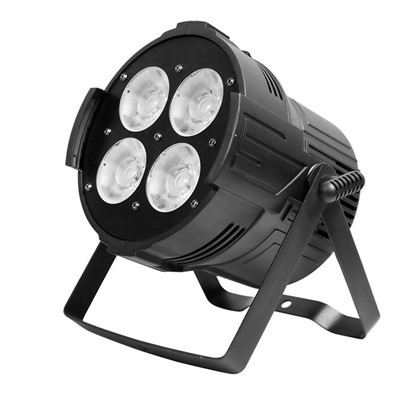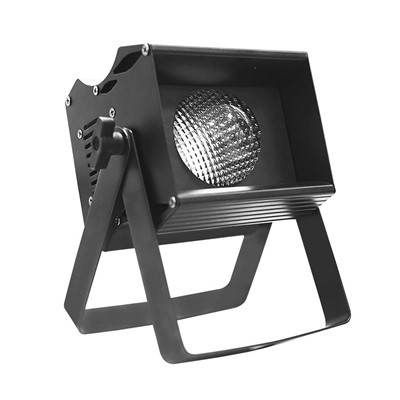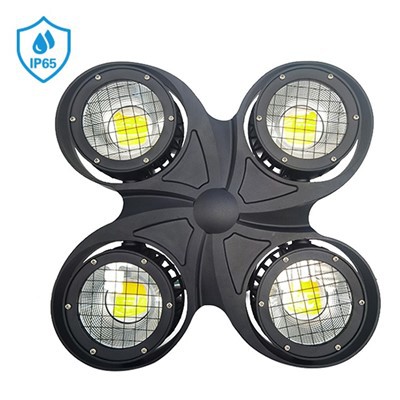


Hey there! I'm a supplier of moving head lights, and I often get asked about setting the movement acceleration of these cool lighting fixtures. So, I thought I'd share some insights on how to do it right.
First off, let's understand why setting the movement acceleration matters. Moving head lights are used in various settings, like concerts, theaters, and clubs, to create dynamic lighting effects. The acceleration of their movement can greatly impact the overall look and feel of those effects. A fast acceleration can make the lights swoop around quickly, adding a sense of energy and excitement. On the other hand, a slow acceleration gives a more gradual and smooth movement, which might be perfect for a more subdued or elegant setting.
1. Know Your Equipment
Before you start adjusting the acceleration, you need to know your moving head light inside out. Different models have different capabilities and control interfaces. For example, our 400W Moving Head BSW CTO Light has its own set of features and control options. You can usually find the manual of your light either in the box or on the manufacturer's website.
The manual is your best friend here. It will give you detailed information about the movement parameters, including acceleration. It might also have a chart or a guide on how to access the settings related to acceleration. Some lights have a physical control panel on the back, where you can use buttons or dials to make adjustments. Others can be controlled via a DMX console or a lighting control software.
2. Familiarize with DMX Settings
Most professional moving head lights are controlled using DMX (Digital Multiplex) technology. If you're using a DMX console to control your lights, you need to understand how to program the acceleration settings.
When you connect your moving head light to the DMX console, you'll need to assign a DMX address to it. Each channel on the DMX protocol corresponds to a different function of the light, and one of those channels is usually dedicated to the movement acceleration.
On the DMX console, you can use sliders, dials, or digital input fields to adjust the value of the acceleration channel. A lower value typically means a slower acceleration, and a higher value means a faster acceleration. For instance, if you want a really quick movement for a flashy effect, you'd set the acceleration channel to a high value. But if you're going for a more languid, smooth movement, you'd choose a lower value.
Our 480W Moving Head Beam Light is a great example of a light that can be finely tuned using DMX. You can experiment with different acceleration values on the DMX console to see how it affects the movement of the light beam.
3. Use Lighting Control Software
If you're not a fan of using a physical DMX console, lighting control software is a great alternative. There are many software options available in the market, and they offer more flexibility and advanced features than a basic DMX console.


When you use lighting control software, you can create complex lighting shows with precise control over the movement acceleration. You can set different acceleration values for different parts of the show, creating a dynamic and engaging experience.
For example, let's say you're creating a lighting show for a concert. At the beginning of a slow ballad, you can set the acceleration of the Super 380W Moving Head Beam Light to a low value, so the lights move slowly and smoothly, enhancing the emotional atmosphere. Then, when the tempo picks up for the energetic chorus, you can increase the acceleration to add some excitement.
In the software, you'll usually find a dedicated section for movement parameters, where you can easily adjust the acceleration. You might also be able to create animation sequences where the acceleration changes over time, giving you even more creative control.
4. Consider the Venue and the Audience
The setting where you're using the moving head lights also plays a big role in determining the right acceleration. In a small club, a very high acceleration might be overwhelming and cause eye strain for the audience. On the other hand, in a large arena for a big concert, a slower acceleration might not be noticeable enough.
You also need to think about the type of event and the audience's expectations. If it's a family-friendly event, you might want to keep the movement more gentle and easy on the eyes. But for a high-energy EDM party, the audience will probably appreciate fast and wild movements.
Our 380W Moving Head Beam Light is versatile enough to be used in different venues and for different types of events. You can adjust its acceleration according to the specific requirements of the situation.
5. Test and Adjust
Once you've made your initial settings, it's crucial to test them out. Turn on the moving head lights and watch how they move. Pay attention to how the acceleration affects the overall look of the lighting effects.
If the movement seems too jerky or too slow, make some adjustments. You can go back to the DMX console or the lighting control software and tweak the acceleration values. Keep testing and adjusting until you're happy with the results.
It's also a good idea to get feedback from others. If you're setting up the lights for an event, ask the event organizers, performers, or even a few audience members for their opinion. They might notice something that you missed and give you valuable suggestions for improvement.
6. Outdoor Considerations
If you're using our Outdoor LED 1400W Profile Frame Moving Head Light outdoors, there are some additional factors to consider when setting the movement acceleration.
Outdoor environments can be more unpredictable than indoor ones. Wind, for example, can affect the movement of the lights. If the acceleration is too high, the wind might cause the lights to move in an uncontrolled way, making the lighting effect look messy.
In addition, the distance between the lights and the audience might be greater outdoors. This means that you might need to adjust the acceleration to make the movement more visible from afar. A slower acceleration might not be as effective in a large outdoor space, so you might want to increase it slightly.
Conclusion
Setting the movement acceleration of a moving head light is a combination of technical know-how and creative judgment. By understanding your equipment, using the right control methods, considering the venue and audience, and testing and adjusting your settings, you can create amazing lighting effects that will make any event stand out.
If you're interested in purchasing our high-quality moving head lights or have any questions about setting their movement acceleration, feel free to reach out to us for a procurement discussion. We're always happy to help you choose the right products and provide expert advice on getting the most out of them.
References
- General knowledge in the lighting industry.
- Manufacturers' manuals of the mentioned moving head lights.